
Video Maker Music Video Editor
VIDEOSHOW Video Editor & Maker & AI Chat GeneratorVideo Players & Editors
4.416.14K Reviews
- Version
- 6.7.0.0
- Installs
- 100.00M
- Age Rating
- Teen
Screenshots
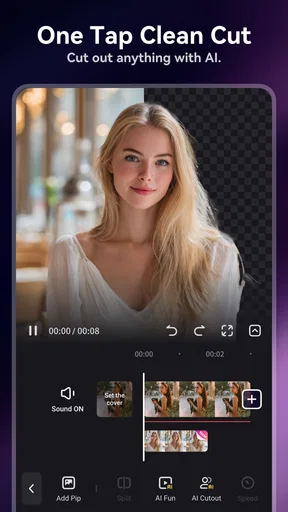
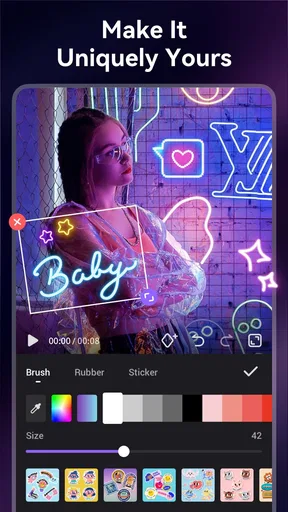
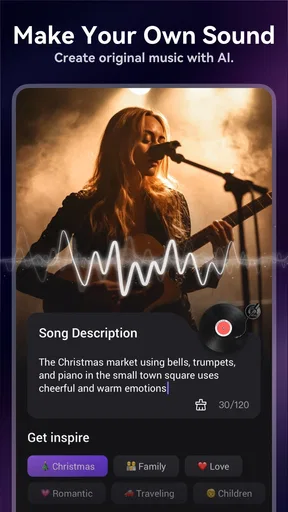
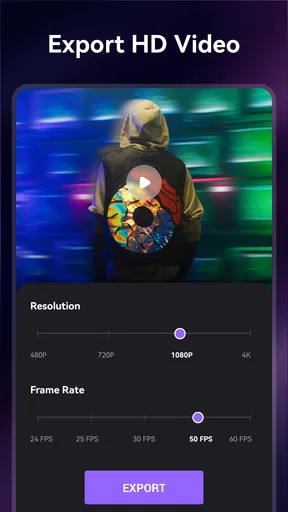
Our Review of Video Maker Music Video Editor
 Analysis by Appyee
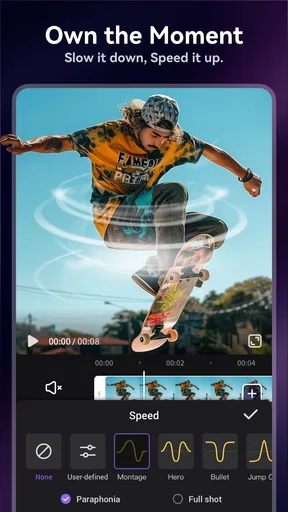
When I want to turn a handful of phone clips into something I can share without opening a desktop editor, I look for a tool that makes the first few decisions easy but still lets me shape the result. AI Video Maker is aimed at that middle ground: quick, approachable editing for everyday footage, with effects, filters and slow motion among the creative directions associated with it. It makes the most sense when speed and convenience matter more than precise, frame-by-frame control.
The app is free to install, and its current version is 6.5.3.0. It has been available since March 6, 2018, and the long-running presence is reflected in its reach: more than 100 million installs and an average rating of 4.4 from around 1.3 million ratings. Those figures suggest broad use, though they don’t tell me whether its workflow will suit every editor. It is developed by VIDEOSHOW Video Editor & Maker & AI Chat Generator, sits in the video-player and editing space, and is rated Teen. I’d also keep in mind that optional in-app purchases range from $0.99 to $199.99 per item, so I would check any purchase screen carefully rather than assuming every tool is included at no cost.
What the current app is best suited to
The short description calls it an AI video maker, but I find it more useful to think of it as a mobile editing option for people who want help getting from raw clips to a finished, shareable video. That can mean a quick recap of a day out, a short montage for friends, or a simple social post assembled between other tasks. Its appeal is not that it replaces a full desktop timeline; it is that it offers a more direct route to a presentable result on a phone.
It runs on Android 6.0 or later. If you are choosing an editor for an older device, that minimum is worth checking before you plan a project around it. On the other hand, meeting the minimum operating-system requirement does not guarantee that every editing session will feel equally smooth: footage size, the number of clips, and the effects you use can all affect how comfortable a mobile workflow feels. I’d start with a short test project before committing a large batch of important footage.
A quick workflow that still needs your judgement
For a practical first project, I would gather only the clips that tell one clear story, then decide what the viewer needs to see first and last. A template can help establish a visual direction when I am staring at a mixed camera roll, but I would treat it as a starting point, not a substitute for choosing the right moments. Removing a clip that distracts from the story usually improves a short edit more than adding another visual effect.
That distinction matters with AI-assisted editing. Suggestions and automated adjustments can reduce fiddly work, but they cannot reliably know which moment matters most to you. I would review the cut from beginning to end, check whether text is readable over the footage, and listen for abrupt changes in music or pacing before exporting. The useful role of automation here is to get me moving, while the final choices remain mine.
Where a phone editor earns its place
Compared with a traditional desktop editor, a mobile app like this is easier to reach when the footage is already on your phone and the finished video does not need a complex production workflow. That is a real advantage for a casual creator, a family montage, or a quick clip made while travelling. A desktop tool is still the better fit when I need detailed control over multiple tracks, exact timing, or a more involved sound mix; convenience should not be confused with the same level of precision.
Against a basic phone gallery editor, a dedicated video app can offer a more intentional editing process and more room to style a clip. The trade-off is that templates and effects can make different videos feel alike if I accept every suggestion without editing it. I would use the preset to establish a direction, then remove or adjust anything that competes with the subject. A clean sequence often feels more personal than a montage crowded with transitions.
Pay attention to music, pacing and export
Music can give a short video a sense of cohesion, but it also changes how the edit feels. I would choose the soundtrack before fine-tuning cuts, then watch whether the visuals still make sense with the sound off. That simple check is useful for clips people may see while scrolling, and it can reveal whether captions or text need to carry information that the music cannot.
Before sharing, I would also check the output options in the app and choose settings that suit the destination rather than automatically selecting the most demanding option. A short social clip and a personal archive do not necessarily need the same balance of file size and visual detail. I would keep an untouched copy of important original footage too, so that an edit is not the only version I have if I later want to try a different cut.
Cost, expectations and who should look elsewhere
Because the app is free to install but includes optional purchases, I would explore the editing flow before paying for anything. If a tool or asset is presented as a purchase, I would confirm the cost and whether it is a one-time item before continuing. That is especially sensible for occasional editors: a paid extra may be worthwhile if it solves a recurring need, but there is little reason to buy features before you know they fit your routine.
I would look elsewhere if my main goal were precise professional editing, a tightly controlled audio mix, or a workflow built around extensive layers and repeatable project settings. I would also be cautious about choosing any effect-heavy editor for footage where natural color and detail matter more than a stylized finish. For quick personal videos, though, an accessible phone-first approach can be more useful than a powerful editor that takes longer to learn than the project deserves.
How the version history shapes my expectations
Version 6.5.3.0 is the current release, following an initial release on March 6, 2018. That establishes that the app has continued to a later version, but a version number alone does not tell me which features changed or how a particular tool has evolved. I would judge the current build by the editing choices I can actually use, rather than assuming that the number signals a specific upgrade.
For someone who already edits with it, the practical question is whether the present workflow still handles their usual projects comfortably. I would open an existing kind of project, test the steps I rely on, and make sure the final export looks and sounds right before switching a whole routine over. New users can take a similar low-risk approach: create a short sample, try a restrained effect, and see whether the app’s style feels like their own.
The things I would watch over time are the clarity of purchase prompts, the usefulness of its editing options for my particular projects, and whether its current version continues to feel dependable on my device. Those are more meaningful to me than expecting a version number to promise a particular feature. If its quick workflow saves effort without making my videos feel generic, it has earned a place in my editing rotation.
Getting Started with AI Video Maker
So, you download the app and dive right in. The first thing you'll notice is its sleek and user-friendly interface. It's not cluttered, which is a breath of fresh air if you've ever tried to navigate more complex editing software. The app is designed to be intuitive, which means you can start creating videos without needing a tutorial.
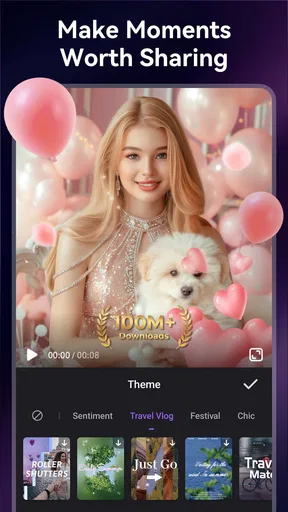
The app offers a variety of templates, which are a lifesaver if you’re like me and sometimes need a little creative jumpstart. Just pick a template that fits the mood or theme of your video, and you’re halfway there. These templates are fully customizable, allowing you to tweak them to your liking. This is where the AI magic truly shines, as it helps you make adjustments that look professional without breaking a sweat.
Editing Features That Stand Out
One of the best aspects of AI Video Editor is the array of features that cater to both beginners and seasoned editors. Want to add text? Easy. Need to splice clips? No problem. The app offers a wide range of editing tools that are not only powerful but also easy to use.
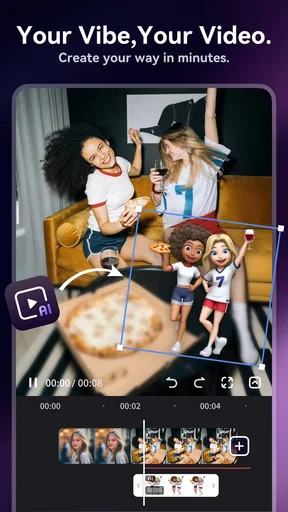
What really impressed me was the AI-driven capabilities. The app can automatically enhance video quality and adjust lighting, making your footage look polished with just a tap. It can even suggest edits based on the style you’re aiming for, which is perfect for those days when you’re not sure how to bring your vision to life.
AI-Powered Effects and Transitions
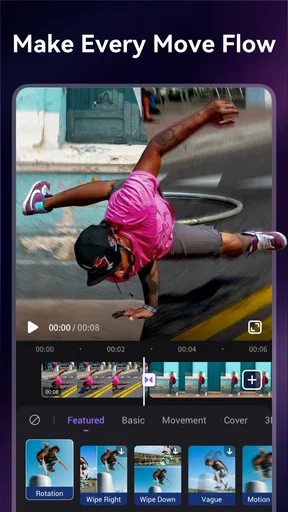
Now, let’s talk about effects and transitions because who doesn’t love a good transition to spice up their video? The app comes with a plethora of effects that you can apply with a single click. From dramatic fades to quirky animations, the possibilities are endless. The AI can also suggest transitions that fit the tempo and style of your video, ensuring a seamless viewing experience.
The effects library is constantly updated, so you’ll never run out of options to explore. Plus, the AI helps by learning your preferences over time, suggesting effects that match your editing style. It feels like the app evolves with you, which is pretty cool if you ask me.
Exporting and Sharing Your Creations
Once you’ve crafted your masterpiece, exporting it is a breeze. The app supports various formats and resolutions, making it easy to share your video on different platforms. Whether you’re uploading to YouTube, Instagram, or just saving it for personal viewing, the app ensures your video maintains its quality.
Sharing directly from the app is seamless. With a few taps, your video can be live, reaching your audience without any hassle. The app also provides options to adjust your video settings for each platform, ensuring it looks its best wherever you post it.
Final Thoughts
In a nutshell, AI Video Maker and AI Video Editor are handy tools for anyone looking to dip into mobile video editing. I’d recommend trying it when you want to assemble a clear, polished short video without learning a desktop workflow first. Its reach and strong average rating make it a familiar choice for many users, but the right test is still your own small project: see whether the editing process suits you, and whether the finished clip feels like yours.
So, if you’re keen on creating videos without a steep learning curve, give the app a try. It is not my pick for every project, especially when exact control matters more than speed, but for an everyday montage or a quick social clip it can be a practical companion. I’d begin with a few carefully chosen shots, use effects sparingly, and keep the original footage until I’m happy with the export. Happy editing!
Verdict
Strengths of Video Maker Music Video Editor
- Easy-to-use interface for beginners.
- Wide range of editing tools available.
- Supports multiple video formats.
- Quick rendering with AI assistance.
- Regular updates improve functionality.
Limitations of Video Maker Music Video Editor
- Limited free version features.
- Occasional lag on older devices.
- High storage usage for large files.
- Requires internet for full features.
- Subscription model can be costly.
Other Releases by VIDEOSHOW Video Editor & Maker & AI Chat Generator
View All
Screen Recorder Video Recorder
Video Players & Editors4.4

Video Editor & Maker VideoShow
Video Players & Editors4.5
Similar Picks in This Category
View All
Google TV
Google LLC3.9

iTunes
Apple4.7

YouTube
Google LLC3.8

MX Player
Amazon Mobile LLC4.2

CapCut - Video Editor
Bytedance Pte. Ltd.3.5

PLAYit-All in One Video Player
PLAYIT TECHNOLOGY PTE. LTD.4.5
You May Also Like
View All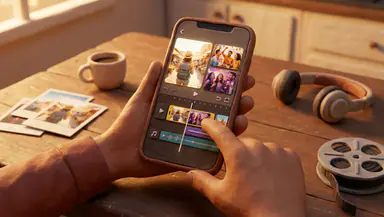
Frequently Asked Questions
What platforms is the AI Video Maker AI Video Editor available on?
The AI Video Maker AI Video Editor is available for both Android and iOS devices. It can be downloaded from the Google Play Store for Android users and the App Store for iOS users. Ensure that your device meets the necessary operating system requirements to install the app smoothly.
Does the AI Video Maker AI Video Editor require an internet connection?
While the AI Video Maker AI Video Editor can perform basic video editing tasks offline, many features—such as accessing cloud storage, downloading templates, and using AI-powered effects—require a stable internet connection. To fully utilize all functionalities, it’s recommended to use the app with internet access.
What are the main features of the AI Video Maker AI Video Editor?
The app offers a range of features including AI-driven video editing, customizable templates, background music integration, and special effects. Users can also enjoy features such as text overlay, transitions, and the ability to export videos in various resolutions. The AI technology helps automate many editing processes, making it user-friendly.
Is the AI Video Maker AI Video Editor free to use?
The AI Video Maker AI Video Editor offers a free version with basic features and watermark on exported videos. For advanced features, ad-free experience, and removal of watermarks, users can opt for a subscription plan. The app provides several subscription options to cater to different user needs and budgets.
How user-friendly is the AI Video Maker AI Video Editor for beginners?
The AI Video Maker AI Video Editor is designed with an intuitive interface that caters to both beginners and experienced users. Its AI-driven tools simplify complex editing tasks, while tutorials and in-app guidance help new users get started quickly. Even those with no prior editing experience can create polished videos with ease.
